BUILT ON THE RP2040 ZERO
Get the lighting effects you need quickly.
A controller board and a studio for it. Lay out your lighting on screen, watch it run in a live preview, and send it to the board. No firmware to compile, no toolchain, no rebuild every time you change your mind.
Windows · macOS · Linux
LIVE PREVIEW — ZONE 1 · TRACE
The Jolt Standard
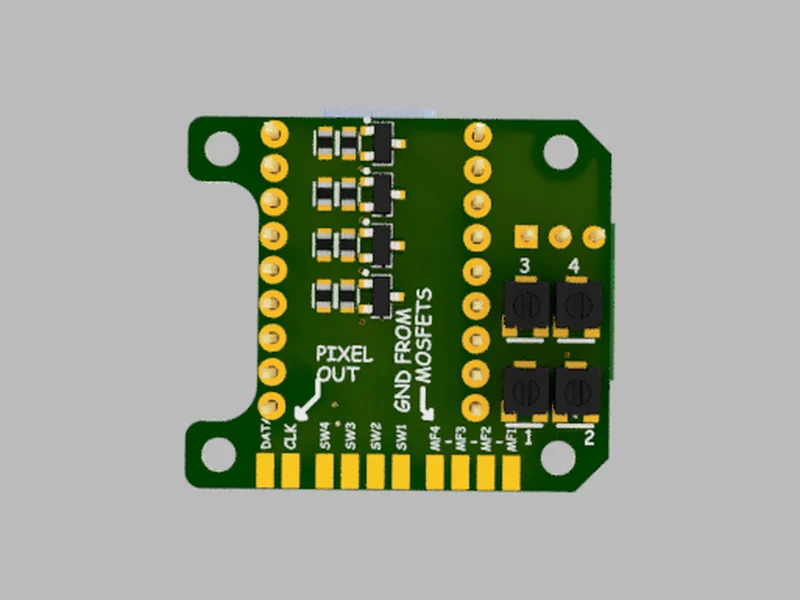
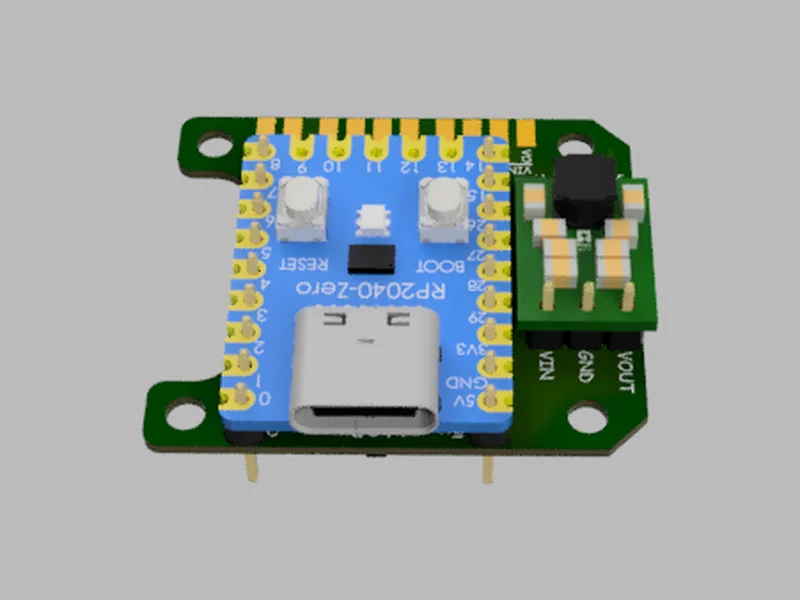
Four high-output MOSFET channels for ordinary LEDs or 3 W emitters. An addressable pixel output for strips and rings. Four on-board pots to adjust brightness and speed. Four buttons wired straight to the things you want to change.
Angry LED Studio
Pick an effect, point it at a range of pixels or a MOSFET channel, and tune it while it runs. Plug the board in and the app links to it, writing your settings across as you work. Nothing to flash, nothing to reboot by hand.
Then it's yours
Unplug it and the board runs on its own. The pots and buttons still do what you assigned them, so whoever ends up using the thing can change the speed or the colour without opening a laptop.
Nine effects, endlessly mixed
Every effect is a zone. Stack as many as you like on one strip, give each its own colours, timing and trigger, and let them overlap where you want them to.
A steady colour at the level you set. The simplest thing the board does, and often the right one.
Steps to the next colour in a sequence on every press. Good for mode switches you want to see.
Crossfades through a list of colours, on a timer or under a knob.
Hard on, hard off, at times you set — with a separate level for each, so "off" can be a low glow.
Breathes up and down, like a sleeping laptop light. Hold at the top and bottom for as long as you like.
Randomly wavers in brightness, mimicking a candle or an unstable bulb. Every pixel picks its own pace.
A fast, uneven stutter. Like a hard drive thinking, arc welders, shorting wires, the neon sign nobody has fixed.
A bar of light travels the strip and comes back, or wraps around. Soft edges or hard ones.
Fills like a gauge — driven by a knob, or filling and draining on its own in colour bands.
Three steps, then you're done
Plug the board in
It shows up as a drive. Open the app, point it at the board once, and it stays linked.
Build it on screen
Add zones, choose effects, drag the knobs. The preview runs the real animation while you work.
Walk away
Your settings are already on the board. Unplug it from the computer and it keeps running them.
A closer look
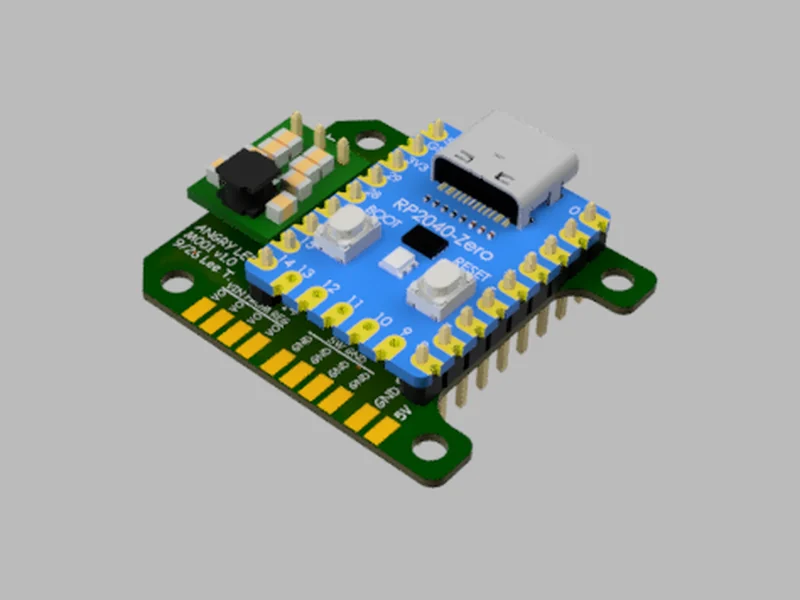
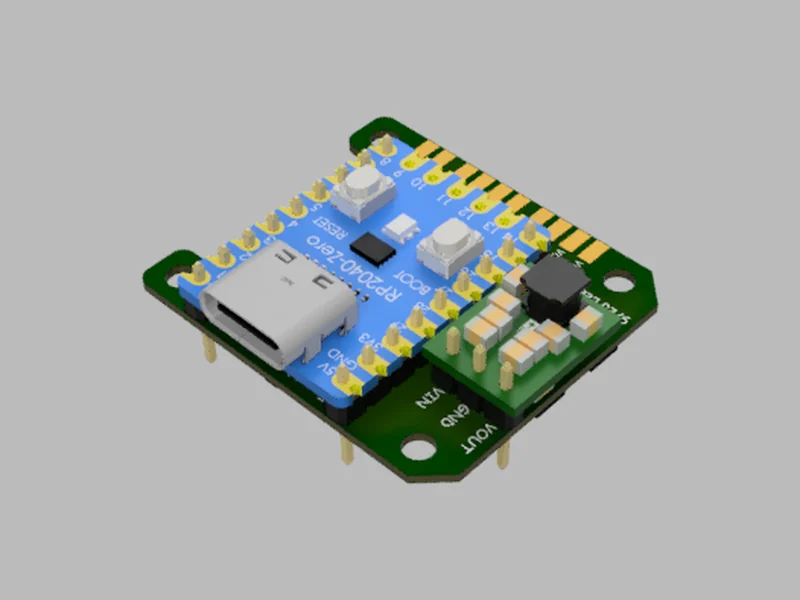
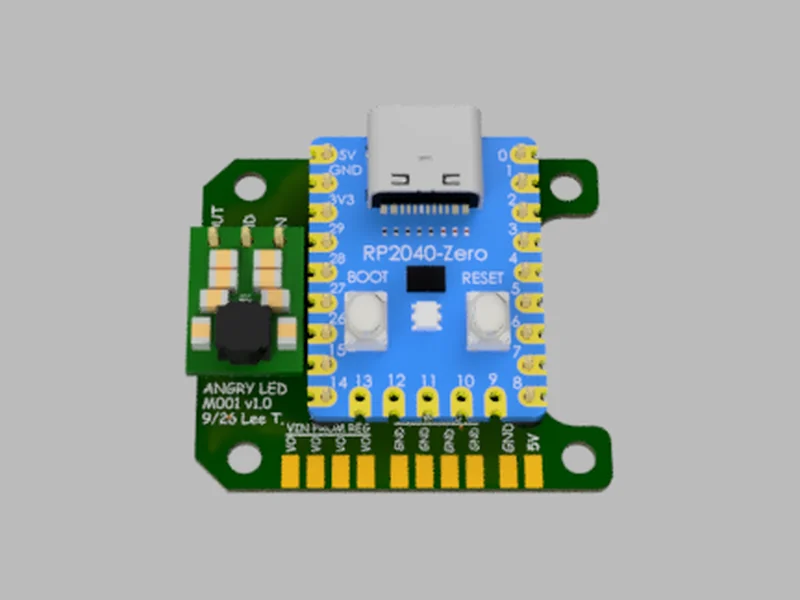
Renders of the current revision. Every pad is named on the silkscreen, so you can wire the thing with the board in front of you instead of the diagram.
What's on it
An addressable pixel output that speaks both common protocols, four higher-current MOSFET channels, switch inputs and on-board potentiometers. Wire what you need, leave the rest.
NOT YET FOR SALE
The first batch of Jolt Standards
Boards are still in testing. Leave your email and you'll hear once when the first run is ready — nothing else, ever. The app is free in the meantime, and it works without a board.
One message, when the first run is ready. Price set before then. See the full spec.
The Jolt Standard is the first one
More shapes are in the works. Every one of them runs the same firmware and the same studio, so what you learn on this board carries straight across. No dates promised — they ship when they're right.
Download the studio
Free, no account, works without a board plugged in — you can lay a whole build out before the hardware arrives. It updates itself when there's something new.
Each button downloads the current release directly. All releases and change notes